Care should not rest on one person.
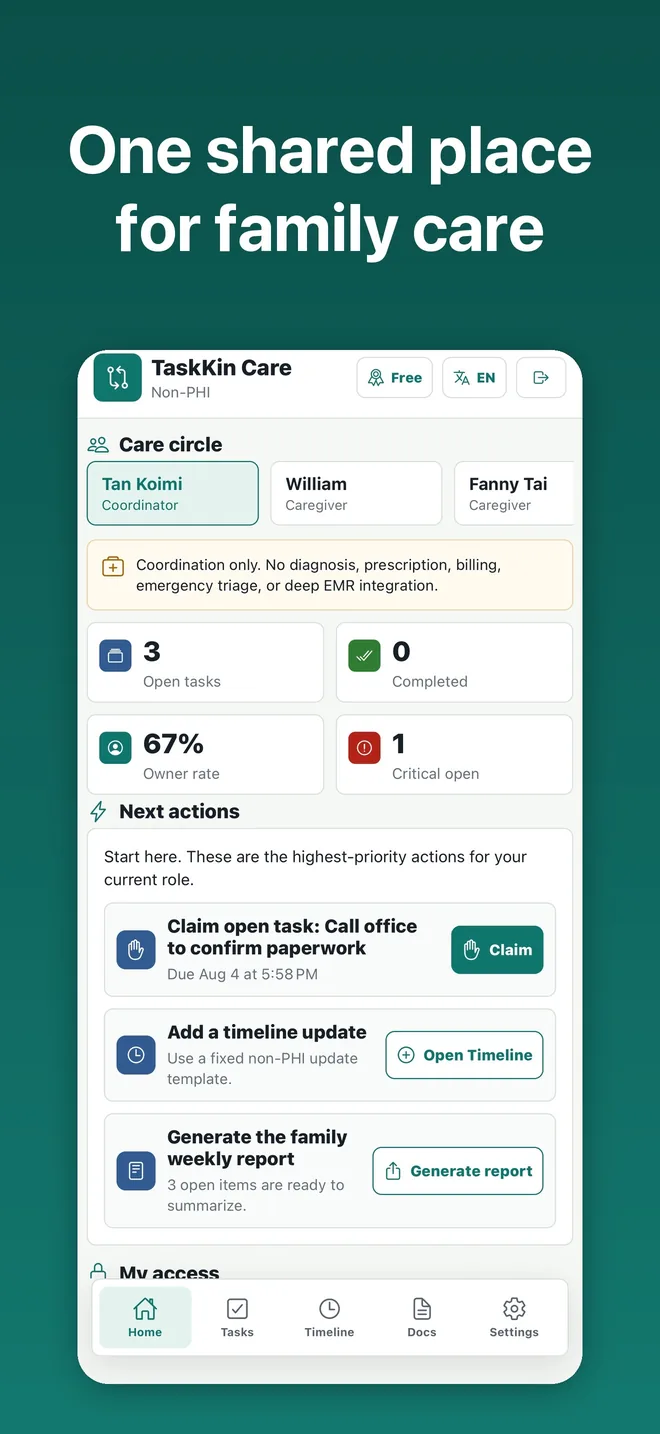
TaskKin Care turns family updates into clear, shared actions with an owner, status, timeline, and weekly summary, so relatives can help with work rather than only receive alerts.
Why TaskKin Care
Family care often leaves one person maintaining every update, following up, and doing the work. TaskKin Care makes information actionable and makes ownership visible.
Action before record
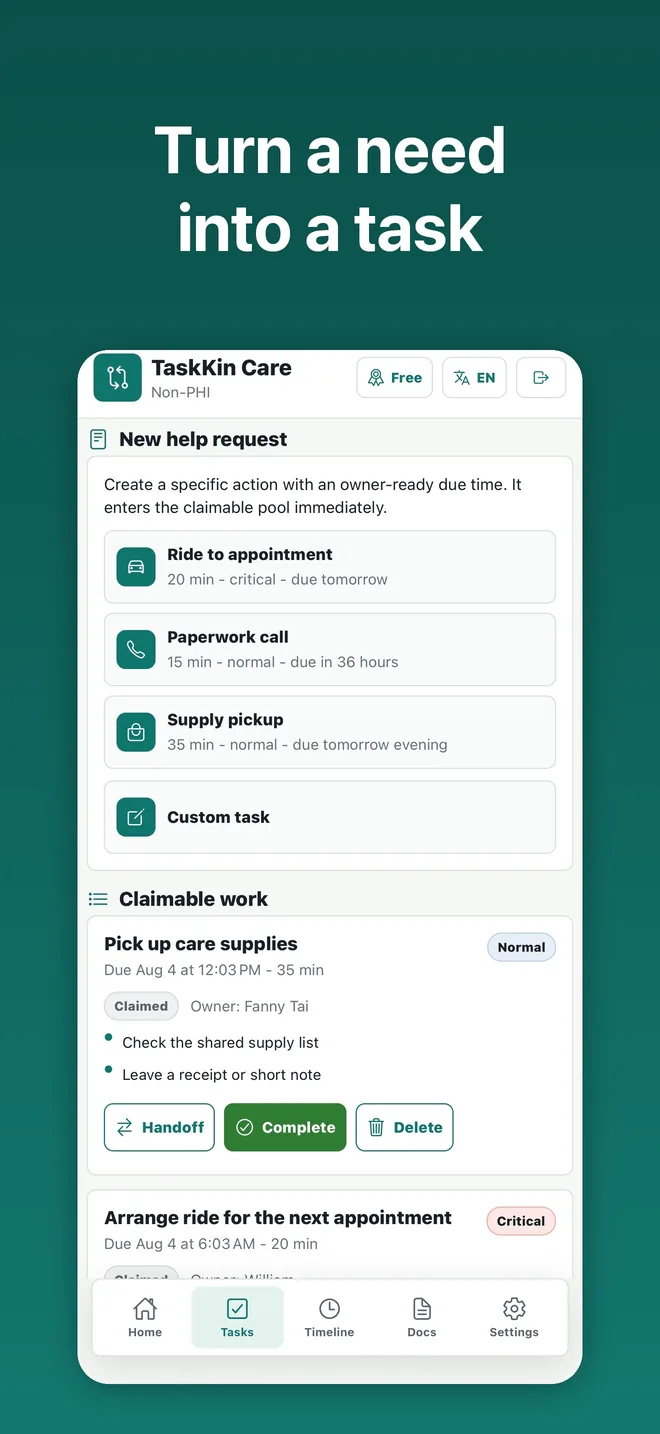
Every task has an owner, due time, and status instead of becoming another message in a group chat.
Honest handoffs
Family members can claim, decline, or hand off a task so responsibilities remain visible.
Calm notifications
Updates are shown by role and priority to keep people informed without creating noise.
Core coordination features
One practical loop keeps coordination clear: information, action, owner, completion, and review.
Family and roles
Invite family members and apply Coordinator, Caregiver, or Viewer permissions.
Task handoffs
Create, claim, decline, hand off, and complete tasks with lightweight proof.
Care timeline
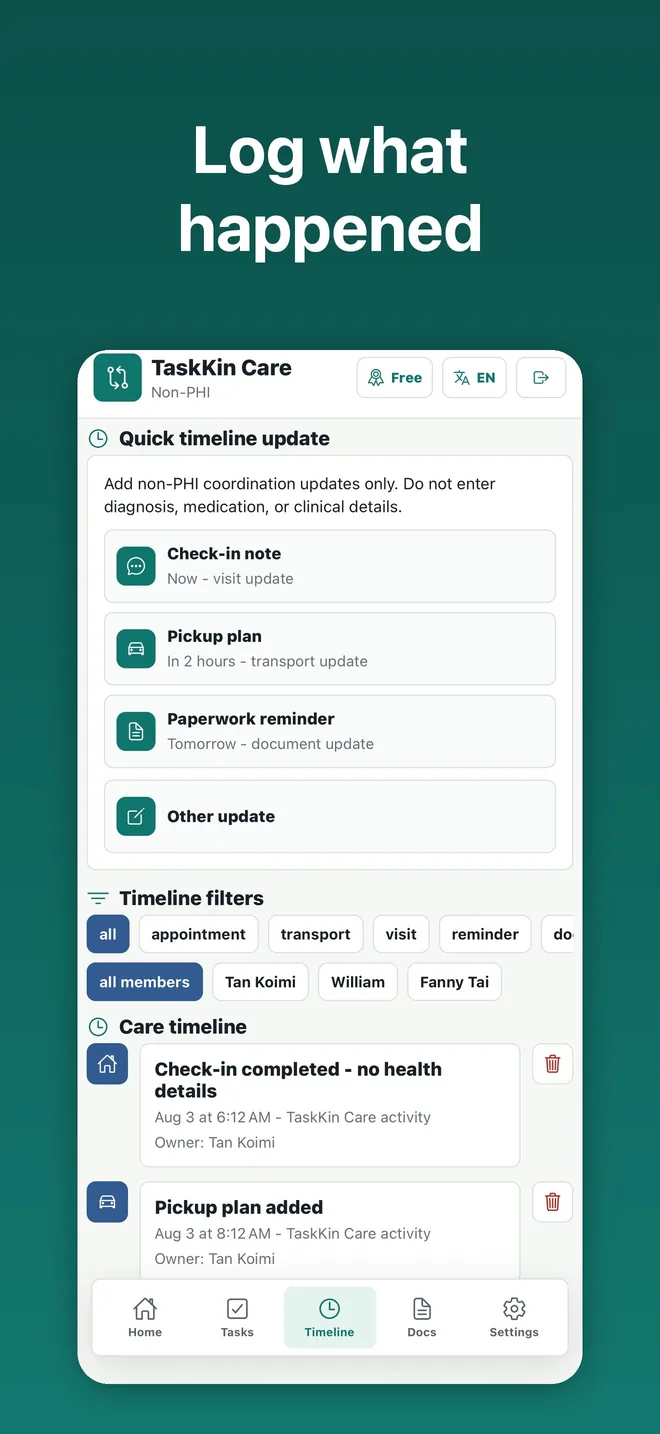
Keep appointments, visits, transport, and reminders in one family view.
Role-aware updates
Show coordination updates to the people who can act on them.
Weekly summary
Generate and share a concise view of completed work, open tasks, and upcoming events.
Documents and audit
Upload non-PHI documents, confirm OCR suggestions manually, and review key coordination changes.
How a family uses it
Four short steps make a distributed care plan easier to follow.
Create a care circle
Invite relatives and assign the smallest role each person needs.
Add a task or update
Capture a coordination-only task, event, or reviewed document note.
Claim or hand off work
Make ownership explicit when availability changes.
Review the week
Share a short summary of progress and next actions.
Inside the app
Current iPhone App Store screenshots from the family workflow.
Frequently asked questions
Is TaskKin Care a medical service?
No. It is a family coordination tool. It does not provide diagnosis, prescriptions, clinical advice, or emergency services.
Can I upload health records?
No. TaskKin Care is not intended for PHI. Do not upload diagnoses, prescriptions, insurance information, or other PHI.
Who can see a task?
Role-based access controls limit data visibility. Viewers do not have API access to tasks, documents, or audit records.
What languages are supported?
The app and these pages are available in English, Chinese, Spanish, and Japanese.
Contact and feedback
Share a usability issue, a family-care scenario, or the next coordination problem TaskKin Care should solve.